Skip to content
Skip to content
RigValut

RigValut

  • PC HUB
  • PC BUILD GUIDES
    • Beginner’s Guide to Building a PC
    • Budget Gaming PC Builds
    • Mid-Range Gaming PC Build
    • High-End Gaming PC Build
  • BUYING GUIDES
    • CPU Buying Guide
    • GPU Buying Guide
    • RAM Buying Guide
    • Storage (SSD) Buying Guide
    • Motherboard Buying Guide
    • Power Supply (PSU) Buying Guide
    • CPU Cooler Buying Guide
    • PC Case Buying Guide
  • PREBUILT PCs
    • Best Prebuilt Gaming PC Under $1000
    • Best Prebuilt Gaming PC Under $1500
    • Prebuilt vs Custom PC Build
  • REVIEWS
    • GPU Reviews (roundup)
    • CPU Reviews (roundup)
  • COMPARISONS
    • RTX vs RX (GPU comparison)
    • Ryzen vs Intel (CPU comparison)
  • BLOG
  • TRUST
    • SIGN UP
    • CONTACT US
    • ABOUT US
    • Editorial Policy
Close Button

High-End Gaming PC Build

High-End Gaming PC Build


Updated for 2026 — a complete ~$2,510 parts list built around the Ryzen 9 9900X and RTX 5080, tuned for 4K gaming with ray tracing maxed out.

This is the no-compromise tier. At roughly $2,500, you're not choosing between settings anymore — this build runs native 4K with ray tracing enabled in every current AAA title, pushes 1440p well past 144Hz, and has enough CPU headroom that the GPU is never left waiting.

The core pairing is a Ryzen 9 9900X with an RTX 5080 16GB — the GPU alone takes roughly 40% of the total budget because at this tier, the graphics card is what separates 'high-end' from merely 'good.' Every other component is chosen so nothing else in the system becomes the bottleneck.
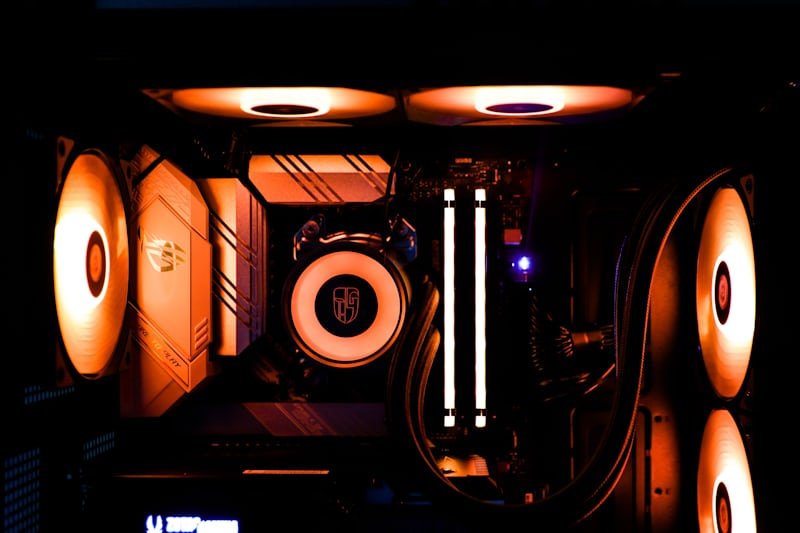
Gaming PC build interior lit with orange RGB lighting

At a Glance

TOTAL COST

RESOLUTION

PLATFORM

UPGRADE PATH

~$2,510

4K / 1440p

AM5

Zen 6 ready

Full Parts List

Part

Pick

Price

Why?

CPU

AMD Ryzen 9 9900X

$430

12-core, no 4K bottleneck

Motherboard

X870E ATX

$320

PCIe 5.0, top-tier VRMs

GPU

RTX 5080 16GB

$1050

Native 4K with ray tracing

RAM

32GB DDR5-6000 L30

$130

EXPO, zero bottleneck

Storage

2TB NVMe Gen5 SSD

$150

Fast loads, room for a library

PSU

850W 80+ Platinum

$150

Headroom for 5080 transient spikes

Case

Airflow-focused ATX

$130

Keeps thermals in check

Cooler

360mm AIO liquid cooler

$150

Keeps boost clocks sustained

Total

~$2510

Why This Build

• GPU gets the biggest slice of budget — the RTX 5080 earns roughly 40% of total cost because at 4K, the graphics card is the single factor separating smooth ray tracing from a slideshow

• 12-core CPU headroom — the Ryzen 9 9900X ensures the CPU is never the limiting factor, even at 1440p high-refresh-rate, where lesser CPUs start to bottleneck a card this powerful.

• 2TB Gen5 NVMe storage — modern AAA titles regularly exceed 100–150GB installed; Gen5 speeds also cut load times noticeably on titles that support fast streaming.

• 850W Platinum PSU — the RTX 5080 draws roughly 300W under load with transient spikes to 350W; Platinum efficiency and the extra headroom keep the system stable under sustained 4K workloads.

Expected Performance

GAMES

1440p

4K

Notes

Cyberpunk 2077

140+ FPS

80–110 FPS

RT Overdrive, DLSS 4

Valorant

500+ FPS

350+ FPS

CPU-bound, still excellent

Fortnite

200+ FPS

120+ FPS

4K Epic settings

Alan Wake 2

110+ FPS

65–80 FPS

Full ray tracing, DLSS Quality

Upgrade Path

This build has very little left to upgrade for years. The 850W Platinum PSU and X870E motherboard both have headroom to support an RTX 5090 if you ever want to push further into 4K, and AM5 will carry you through AMD's next CPU generation without a motherboard swap. Realistically, most people won't need to touch this build again until the next GPU generation after Blackwell arrives.

Prebuilt vs Custom PC Build

FAQ

Is the RTX 5080 worth it over the RTX 5070 Ti for this build?

Yes, if native 4K is your target. The 5070 Ti is a strong 1440p/light-4K card, but the 5080 gives you meaningfully more headroom for ray tracing at 4K without leaning as hard on DLSS upscaling.

Should I get the RTX 5090 instead?

Only if budget genuinely isn't a factor — the 5090 costs roughly 2–3x more for a smaller performance jump than the 5080 offered over the 5070 Ti. For nearly every gamer, the 5080 is the better value at this tier.

Is a 12-core CPU overkill for gaming?

For pure gaming, an 8-core X3D chip performs similarly. The 9900X's extra cores help if you also stream, render, or run heavy background workloads alongside gaming — pure gamers could save here and put the difference toward the GPU.

High-End Gaming PC Build

  • How to Build a Gaming PC: Complete Step-by-Step Guide
  • Best Prebuilt PC in 2026: 8 Tested Picks & Real Prices
  • Best Prebuilt Gaming PC — Top 10 Picks
  • Best Gaming PC:Builds for Every Budget
  • AMD vs Intel CPUs in 2026: Real Prices & Benchmarks
SIGN UP
About Us
Reviews
Sitemap
CONTACT US
Editorial Policy

Gamers Hub WordPress Theme By Themespride

×

Table of Contents